Full setup guide for creators
Start receiving support from fans worldwide in just a few minutes.
Tap "Create New" on the QR screen
On the login screen, select the "Create New" tab. Enter a password for your account and check the box to agree to the Terms of Service.
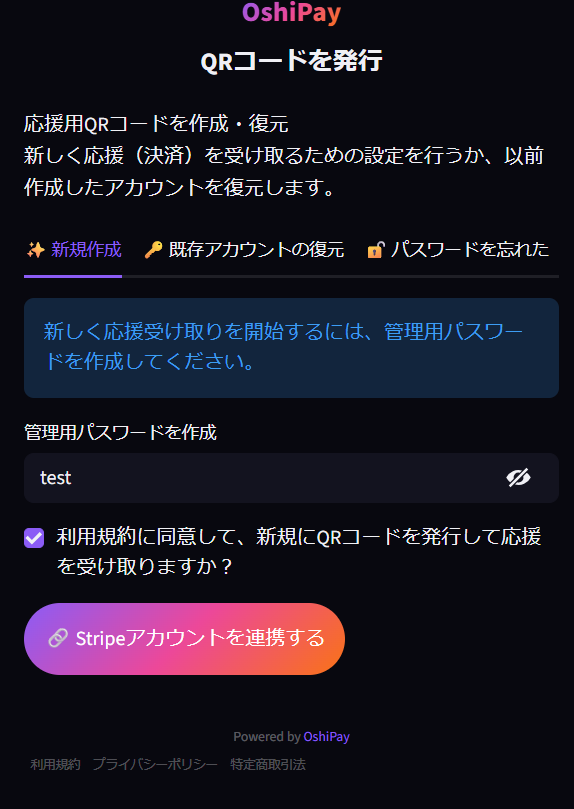
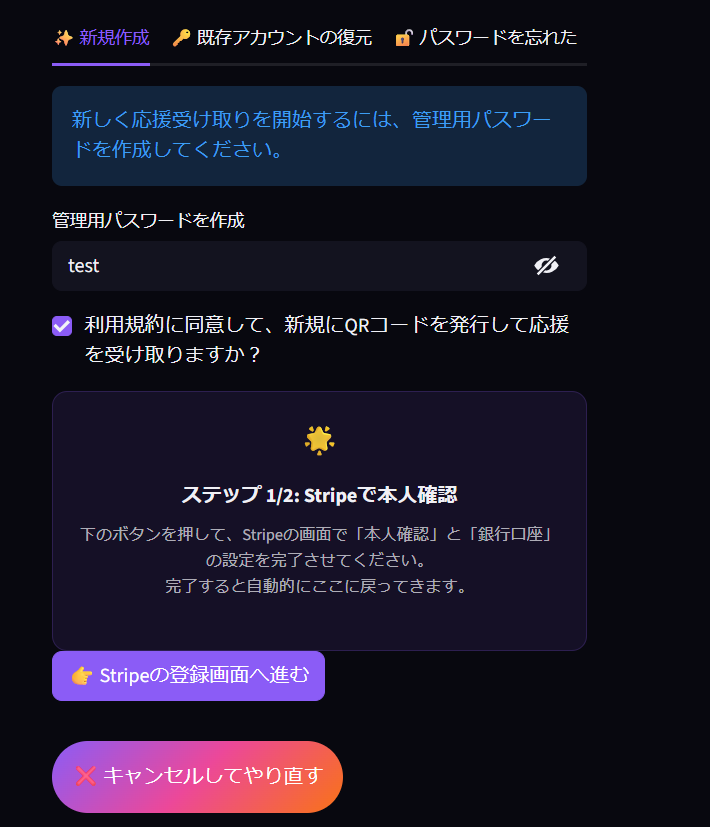
Click "Connect Stripe Account"
Click "Connect your Stripe account", then select "Proceed to Stripe registration" to get started.
Setting up your Stripe account
Stripe is the global payment standard trusted by Amazon, Google, and millions of businesses worldwide.
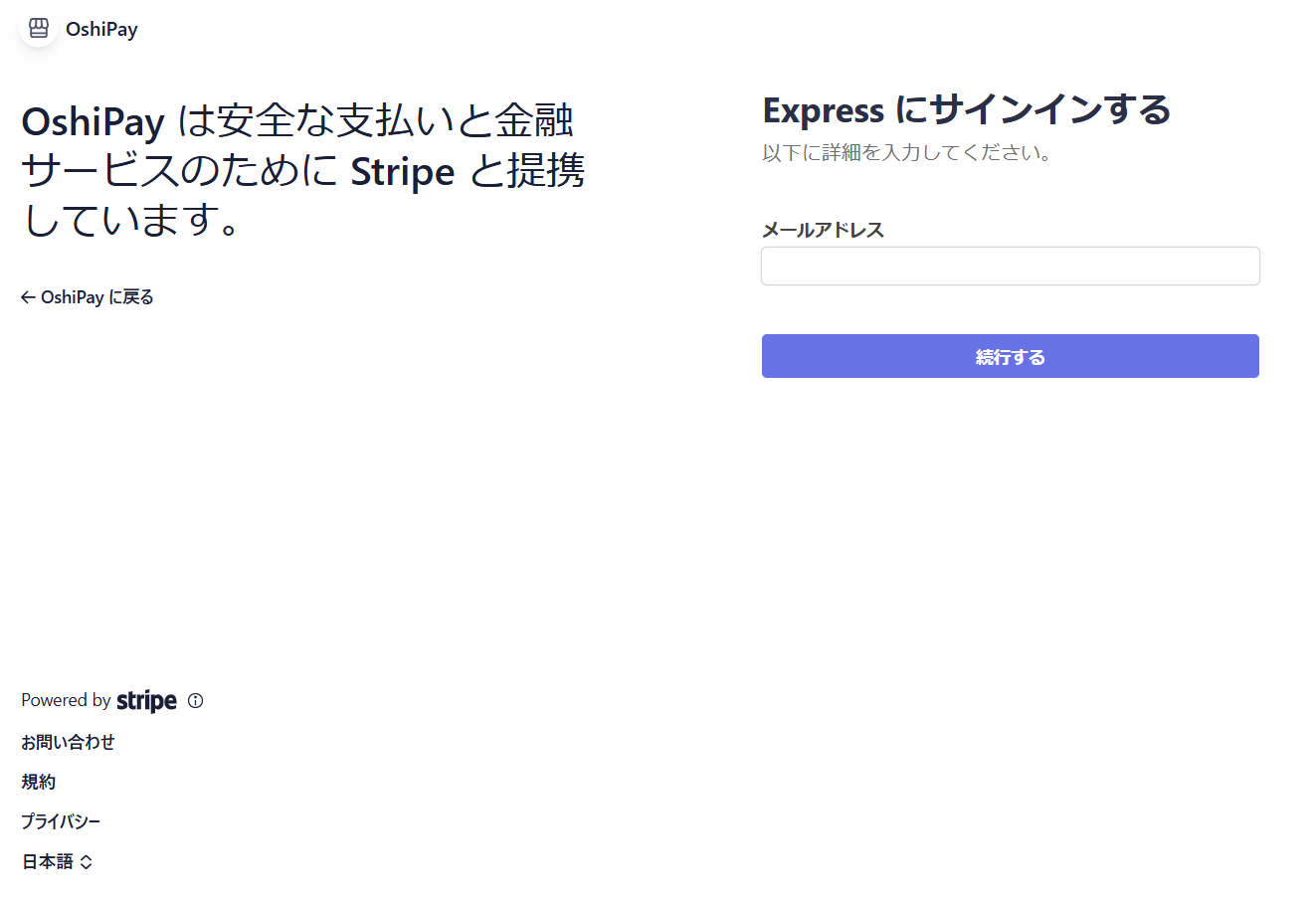
Enter your email address
Enter your contact email and continue. This starts the verification process.
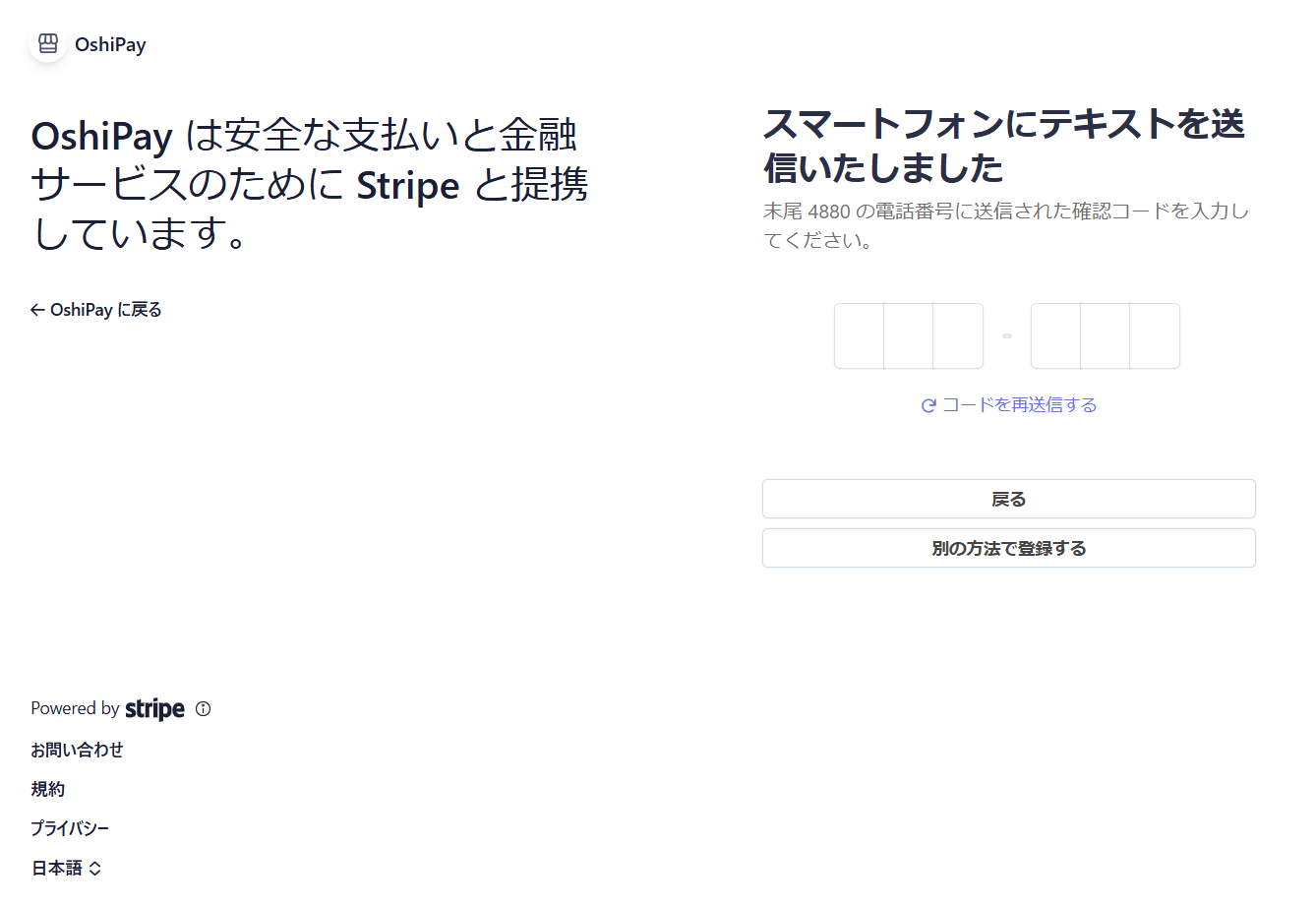
Complete verification
Enter the confirmation code sent to your email and phone (SMS) to complete identity verification.
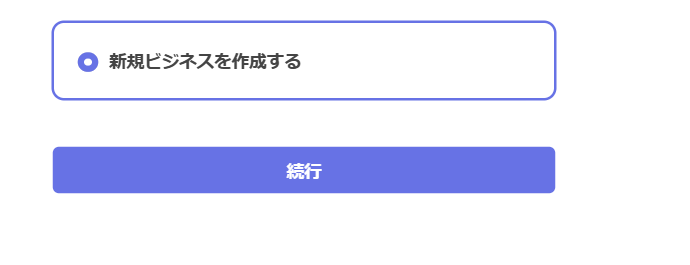
Create a new business
Select "Create a new business" and enter your activity information.
ID verification & bank account
※ This is essential for receiving payments. Please enter accurate information and scan a valid photo ID.
IMPORTANT NOTICE
Your personal information (name, address, bank details) is managed solely by Stripe under their strict global security standards.
your personal information.
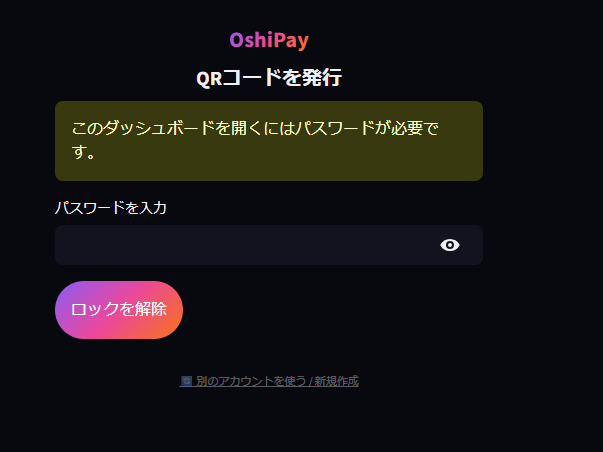
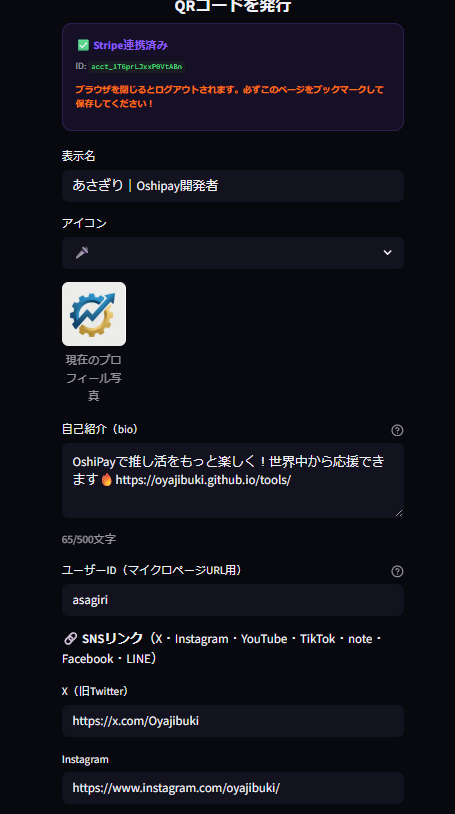
Log in and generate your QR code
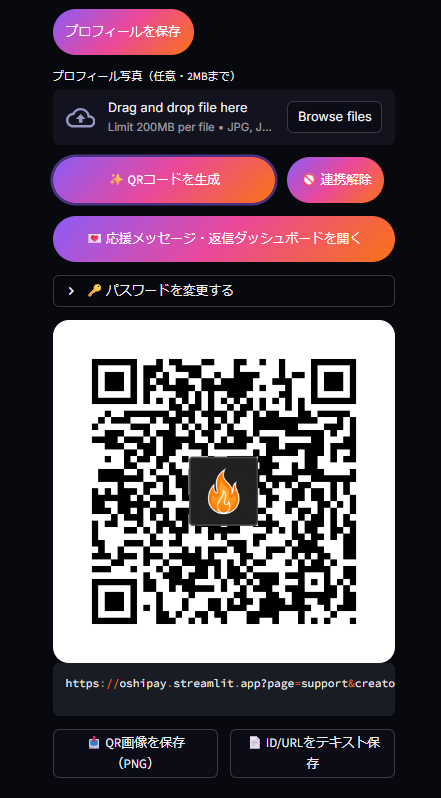
Once setup is complete, return to OshiPay. Log in with your password, choose your display name and icon, then tap "Generate QR Code"!
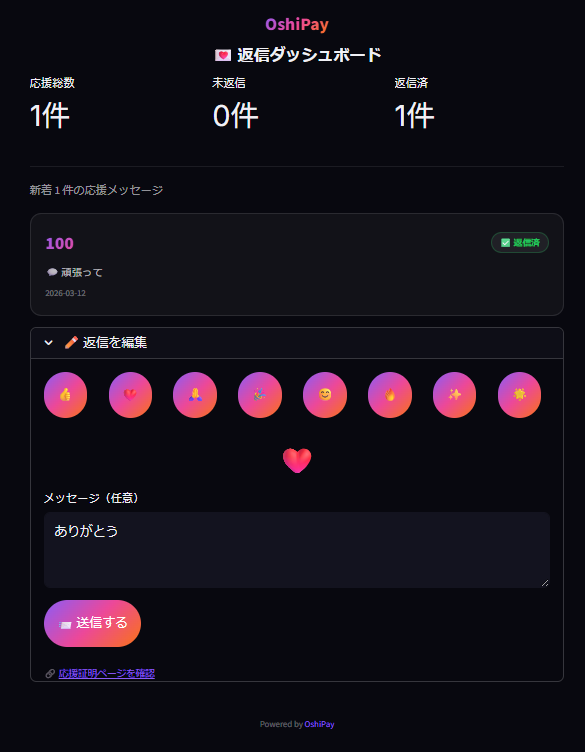
View your support & reply to fans
Tap "Open Support Message Dashboard" to see a full list of all the support you've received — including messages from your fans.
💡 Pro tip
When you receive support, reply with a thank-you message! Your fans' excitement becomes the fuel for even more support.
How to support your favorite creator
No app needed. Just your phone browser — and the love for your oshi.
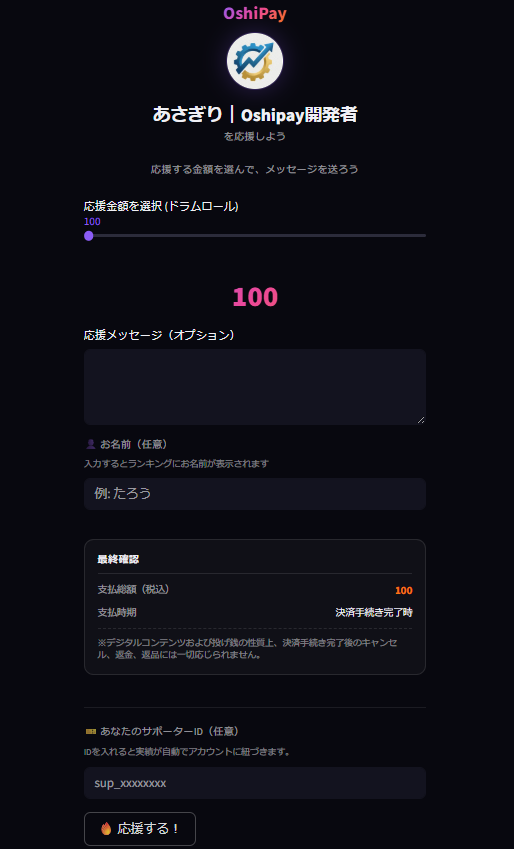
Scan the QR code to open the support page
Find your creator's QR code at a live event, on their social media, or their profile page. Scan it with your phone camera, choose an amount, add a message, and send your support!
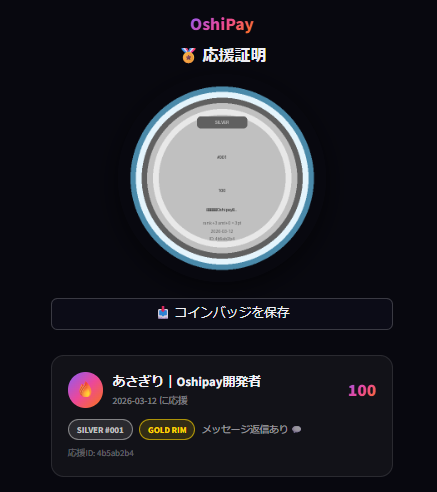
Get your exclusive "Support Coin" 🪙
After supporting, you'll receive a unique collectible coin image engraved with your name — "Supporter #___". A one-of-a-kind proof of your bond with your favorite creator.
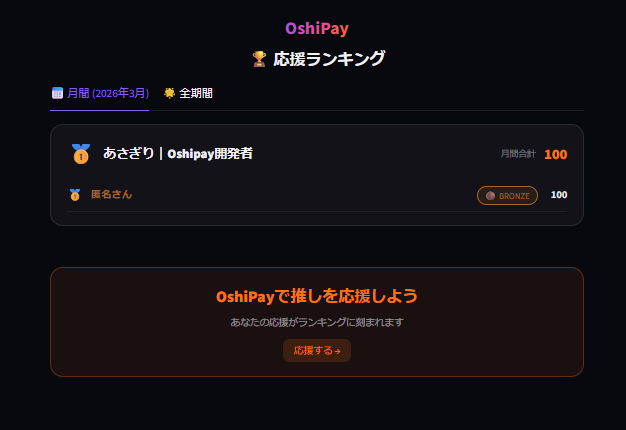
Boost your creator on the ranking 🏆
Check the ranking page to see your contribution. The more fans support together, the higher your creator climbs — making "oshi" culture visible to the world.
FAQ
Q. Can fans outside Japan send support?
Yes! That's one of OshiPay's biggest advantages. Since payments are powered by Stripe, fans from anywhere in the world — the US, Southeast Asia, Europe — can send support using their local cards or Apple/Google Pay.
Q. Is Stripe registration safe?
Absolutely. Stripe is the global payment infrastructure trusted by Amazon, Google, Shopify, and millions of businesses worldwide. Your information is protected by bank-level security — and OshiPay never has access to your personal data.
Q. What should I write on my creator profile?
Share what you're working toward and how you'll use the support. A clear goal makes fans feel connected to your journey — and more motivated to cheer you on.
Q. What are the fees?
OshiPay takes 10% and Stripe takes 3.6%, for a total of 13.6%. That means creators receive 86.4% of every tip — delivered directly to their bank account.